
IOT - NTP SERVER
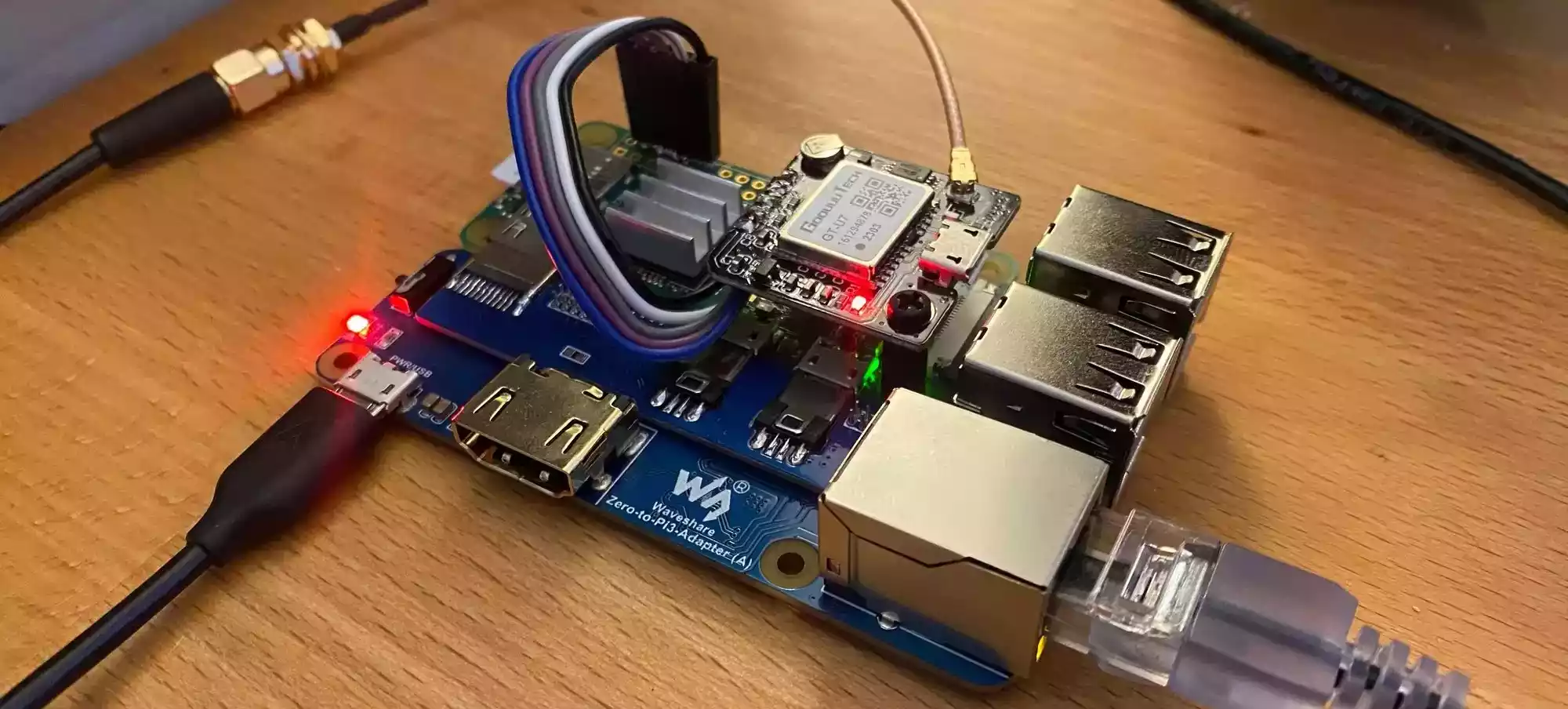
Welcome back, fellow HomeLab Heroes! If you thought my last setup was a digital fortress, brace yourself—because now, we’re mastering time itself.
Sure, your computer syncs time over the internet, but can you really trust it? With a Raspberry Pi 3 + Waveshare GPS, I’ve built a Stratum 1 NTP server—meaning my home network now runs with atomic-clock precision.
First, get Raspberry Pi OS installed and updated:
sudo apt update && sudo apt upgrade -yThen, enable the UART interface to allow communication between the Pi and your GPS module.
Install GPS utilities:
sudo apt install gpsd gpsd-clientsStart the GPS daemon and verify data:
cgps -sSeeing satellite fixes? You’re golden. 🌟
Install the NTP service:
sudo apt install ntpModify /etc/ntp.conf to prioritize GPS as the primary time source, and restart NTP for changes to take effect:
sudo systemctl restart ntpFrom media streaming to AI projects, my home lab now runs with clockwork precision. This NTP server is the perfect upgrade to an already tech-savvy haven.
And remember—while time may be relative, your network’s accuracy shouldn’t be! ⏳
Reach out and let's make it happen ✨. I'm also available for full-time or Part-time opportunities to push the boundaries of design and deliver exceptional work.